Showing posts with label blog. Show all posts
Showing posts with label blog. Show all posts
Friday, March 14, 2014
How to Number Your Blog Comments Winners!
I tried so many different tutorials online to number my blog comments, but none of them were working and I was not about to count through all of the 146 comments on my 100 follower giveaway to find the winner!
It ends up that in addition to inserting the HTML from this tutorial, you also have to change one of your settings in Blogger!

Once you change the HTML based on that tutorial
Now.... drumroll please, its time to announce the winners!
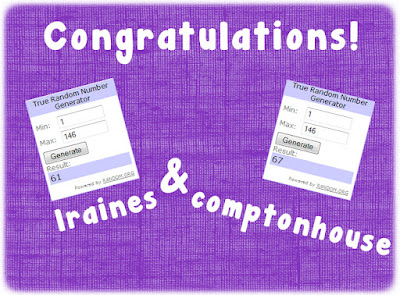
You two can expect your items via email in just a few moments! Congrats and thanks for entering!
Read More..
It ends up that in addition to inserting the HTML from this tutorial, you also have to change one of your settings in Blogger!
Once you change the HTML based on that tutorial
- Go into "Settings" on your main blogger.
- Click "Posts and Comments."
- Where it says "Comment Location," change it to "Full Page."
- Save it and check out your numbered comments!
Now.... drumroll please, its time to announce the winners!
You two can expect your items via email in just a few moments! Congrats and thanks for entering!

Wednesday, March 12, 2014
How to Add a Poll to Your Blog
It looks like the bloggers took over the poll again... another blogging option won! This week, most people voted for how to add a poll to your blog!


Im going to write about two different ways to do this: one right in blogger (a little easier, but more unreliable) and my preferred method: Poll Daddy. Now... onto the tutorial!



Next week, Ill add another blogger tutorial: how to add a followers box to your blog. This really confused me when I first made my blog... and blogger has since changed their options so this might answer some of your questions about how to add it!
Read More..
Im going to write about two different ways to do this: one right in blogger (a little easier, but more unreliable) and my preferred method: Poll Daddy. Now... onto the tutorial!
You can download this tutorial as a PDF by clicking this picture!
Note: This tutorial is hosted on Google Drive. To save it from there, just open the file and click File > Download to save onto your computer!
Next week, Ill add another blogger tutorial: how to add a followers box to your blog. This really confused me when I first made my blog... and blogger has since changed their options so this might answer some of your questions about how to add it!
Sunday, March 2, 2014
How to Follow a New Blog on Bloglovin!
A few of you commented on last nights post that you wanted to know how to follow a blog on Bloglovin. Well... ask and you shall receive!


Expect a few more posts this week to help get you accustomed to Bloglovin! Tomorrow, Ill do a write up on how to claim your blog on Bloglovin! In the meantime, be sure to follow my blog with Bloglovin!
Read More..
You can download this tutorial as a PDF by clicking this picture!
Note: This tutorial is hosted on Google Drive. To save it from there, just open the file and click File > Download to save onto your computer!
Expect a few more posts this week to help get you accustomed to Bloglovin! Tomorrow, Ill do a write up on how to claim your blog on Bloglovin! In the meantime, be sure to follow my blog with Bloglovin!
Subscribe to:
Posts (Atom)